Home Services Pros Field Service Software
From the first customer request to the paid invoice, Home Services Pros brings estimates, scheduling, dispatch, route optimization, invoicing and payments together, so your office and your crew always work from the same picture of the day.
Built for businesses that do their work at the customer's location
One system, start to finish
Regular appointment software stops at the time slot. Home Services Pros follows the whole lifecycle of a job, and it keeps your customers informed at every step. Whether your day starts in the office or on the road, everyone sees the same live information.
Features
Every part of the job lives in one place, so nobody has to chase a spreadsheet, a whiteboard or a text thread to find out what is happening today.
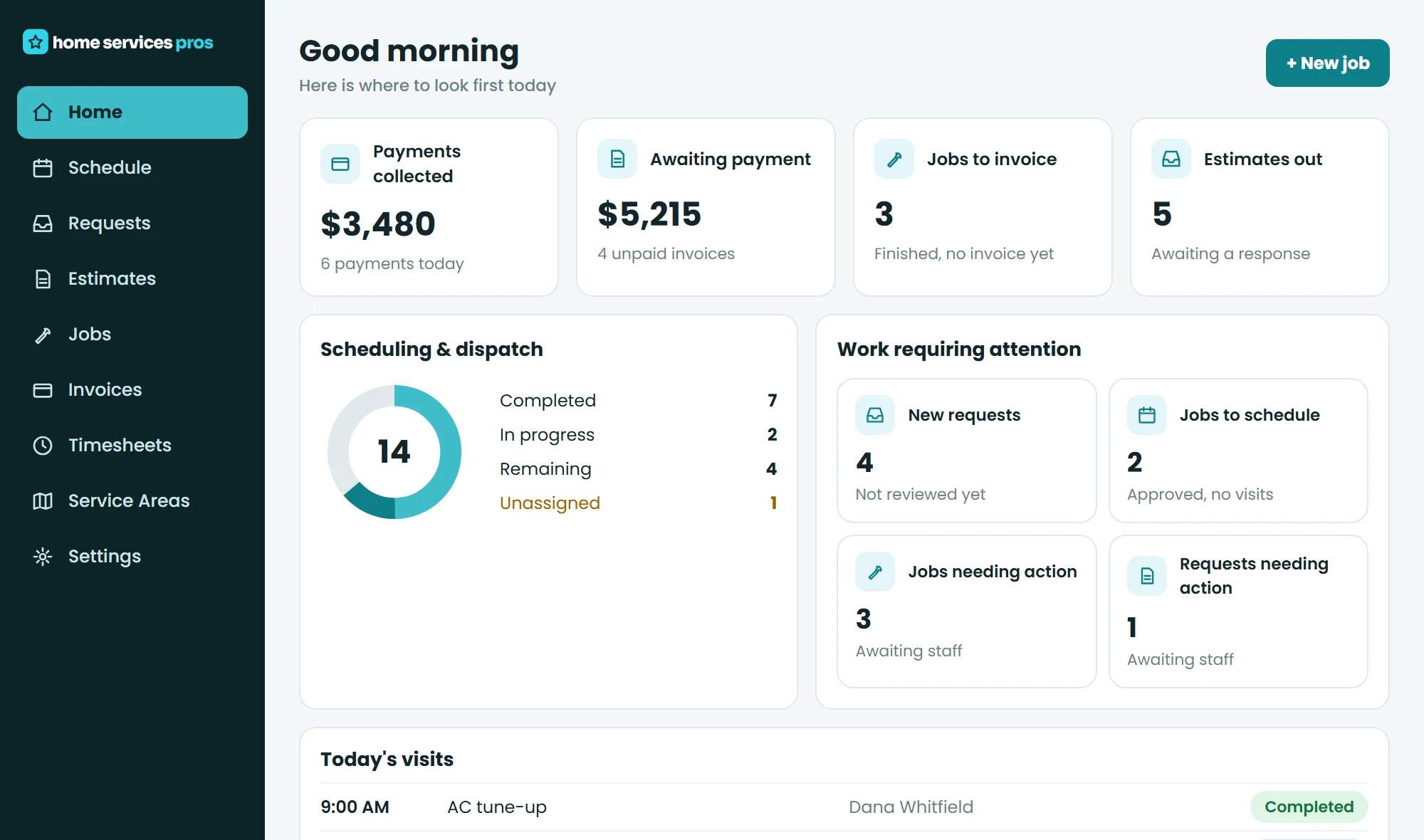
The home screen tells you where to look first. See the money coming in, the visits happening today and the work that needs someone's attention, all before your first cup of coffee is gone.
Customers can send requests from your booking page, or your team can create them in the app with the contact, address, description, photos, services and products. Schedule a site visit first if you need one, then quote with confidence.
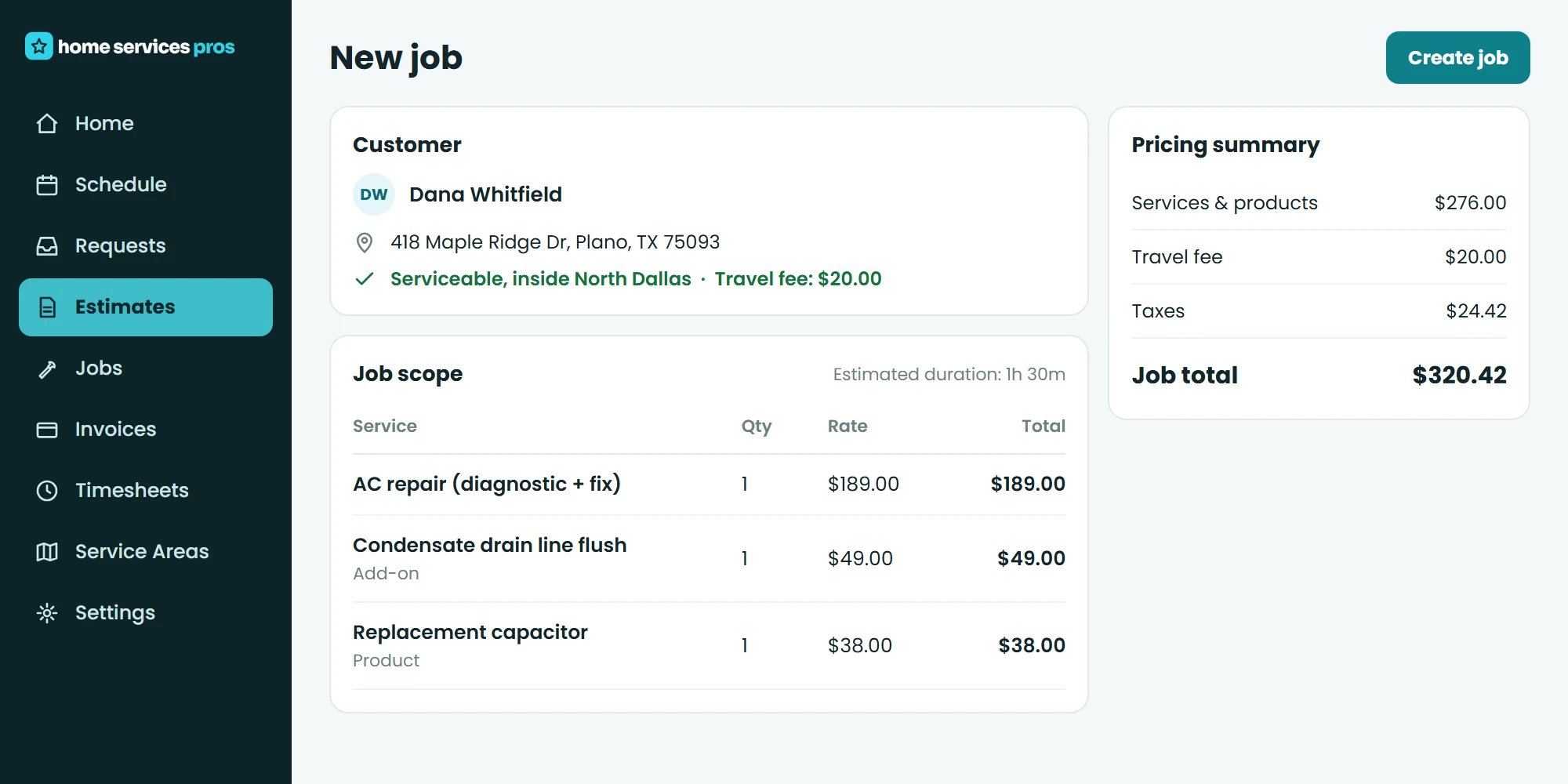
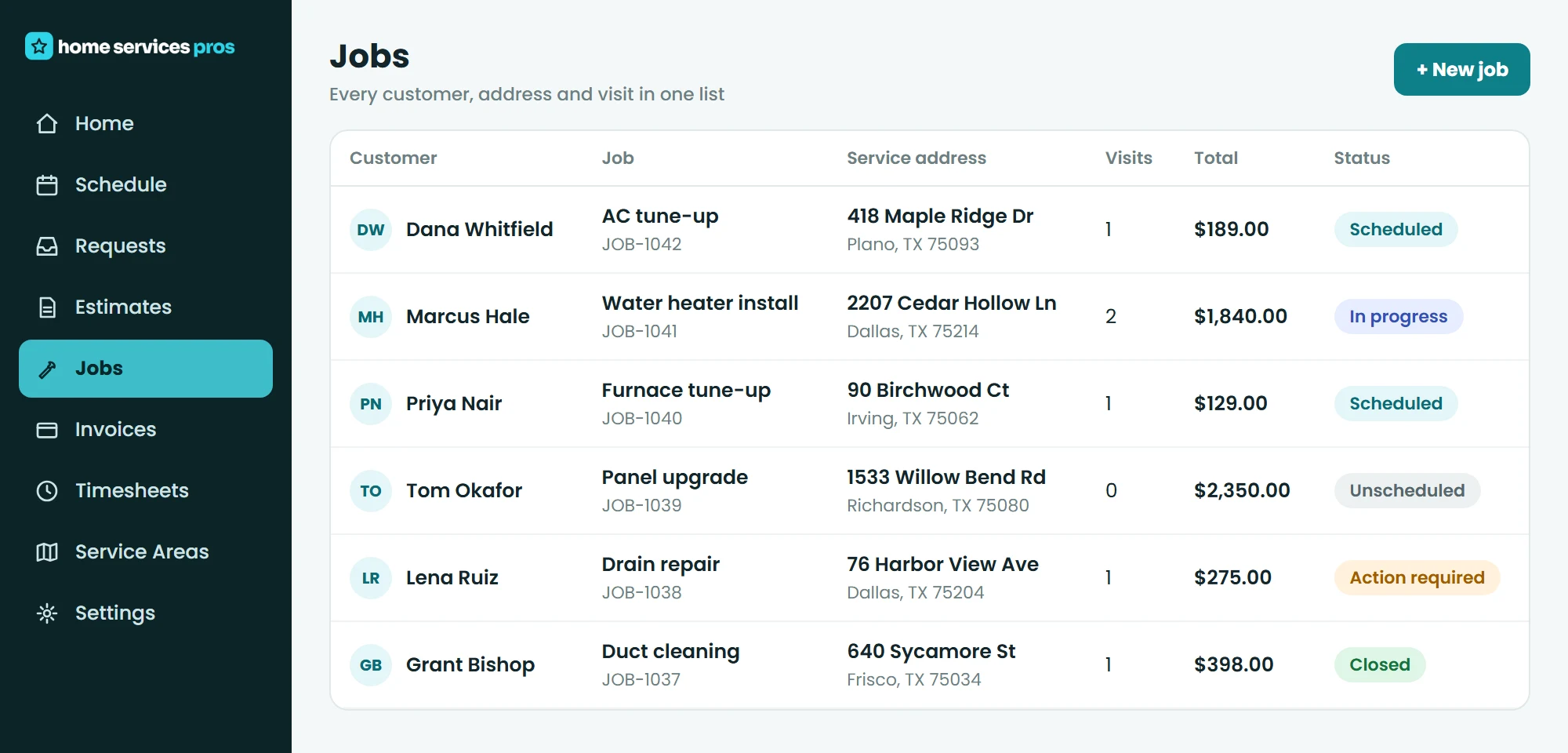
A job brings together one customer, one address and all the work, across as many visits as it needs. Your whole team can open it and see exactly where things stand.
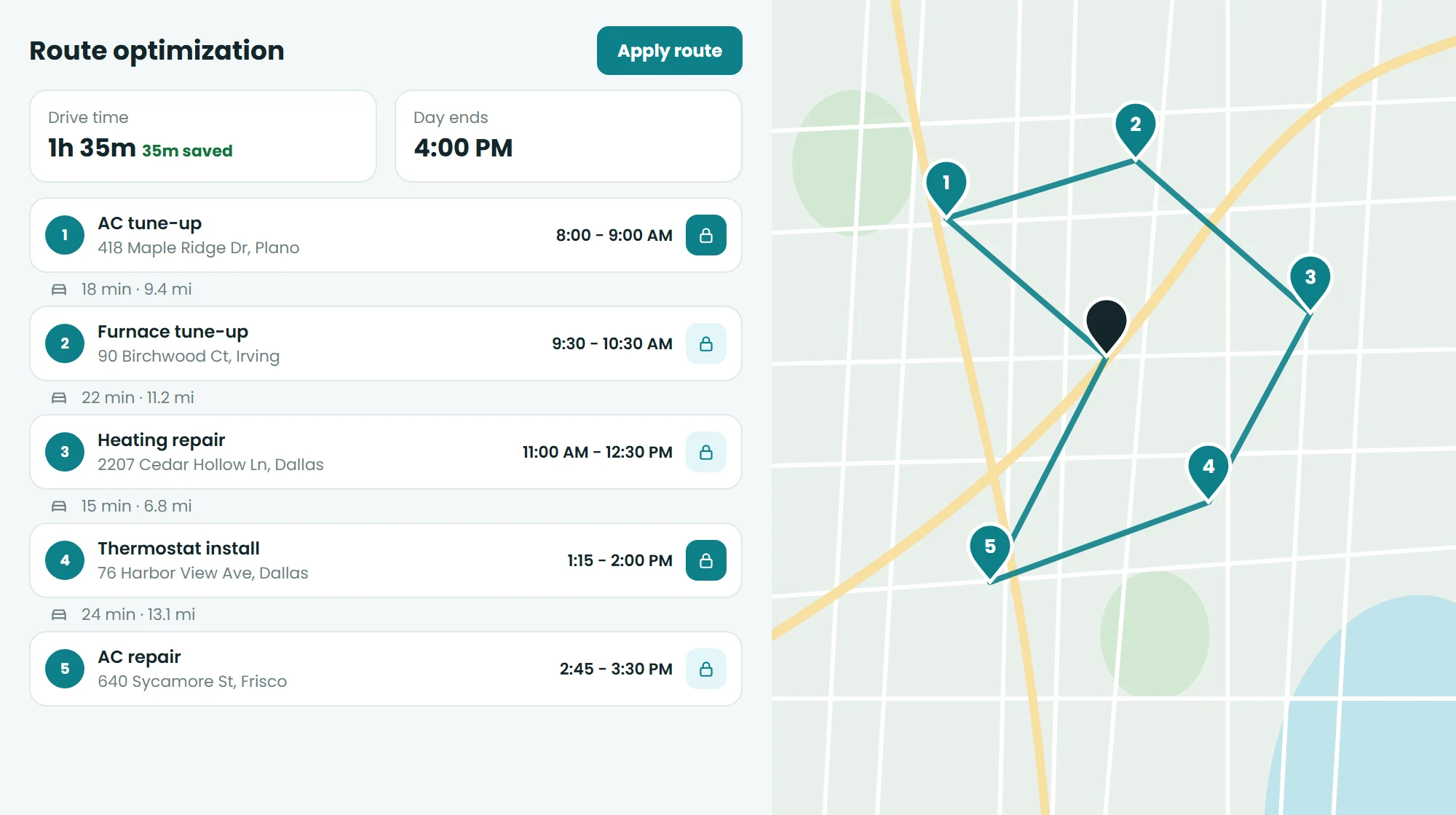
Find availability suggests the best times based on staff working hours, services, service areas, existing bookings and drive time. Then route optimization helps you cut time on the road without taking control away from your dispatcher.
Multi-technician scheduling and dispatch and route optimization are included on the Team and Scale plans.
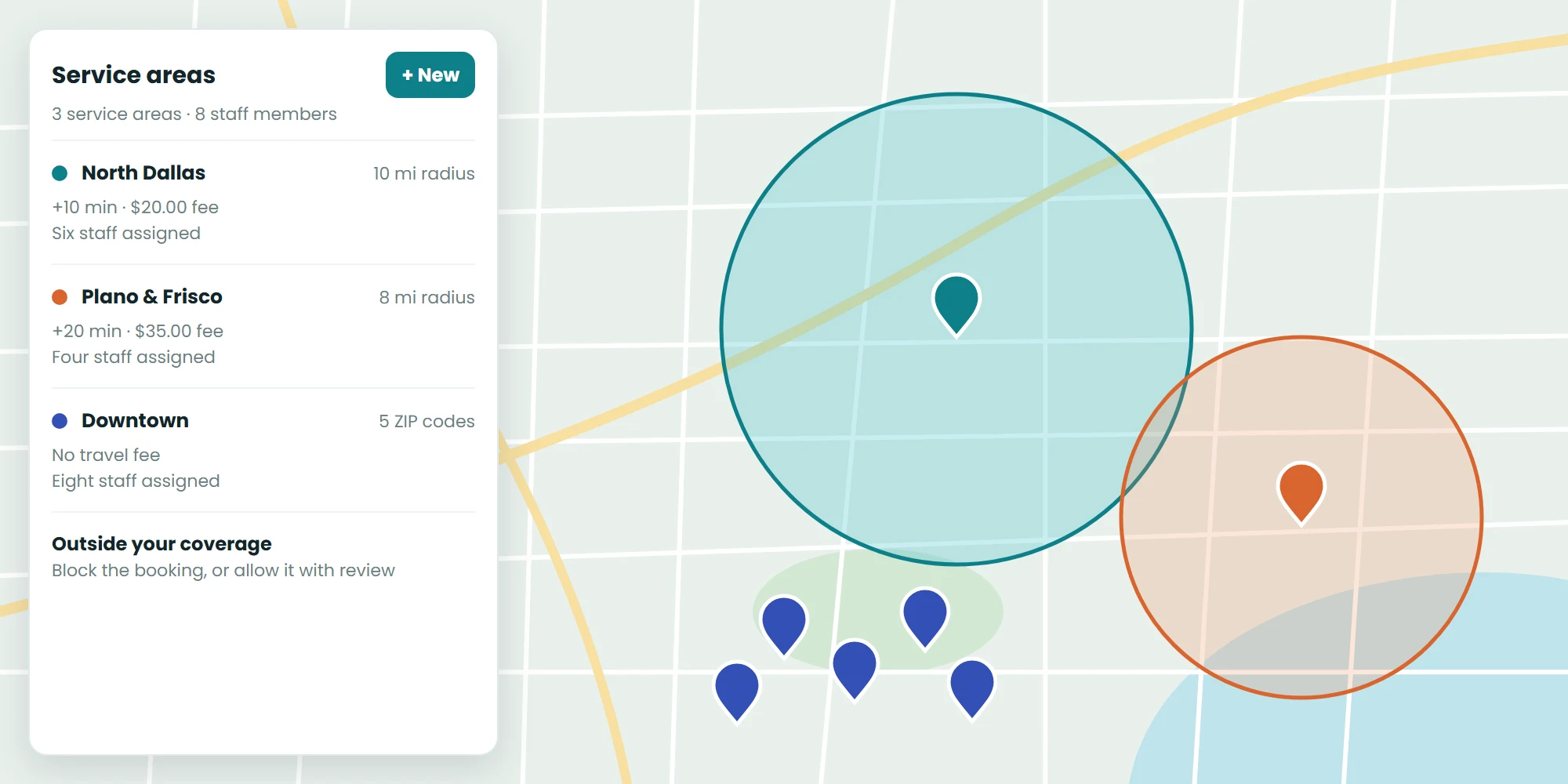
Decide exactly where you work and who covers it. Stay in control of customers outside your coverage, and protect your technicians' days with sensible limits.
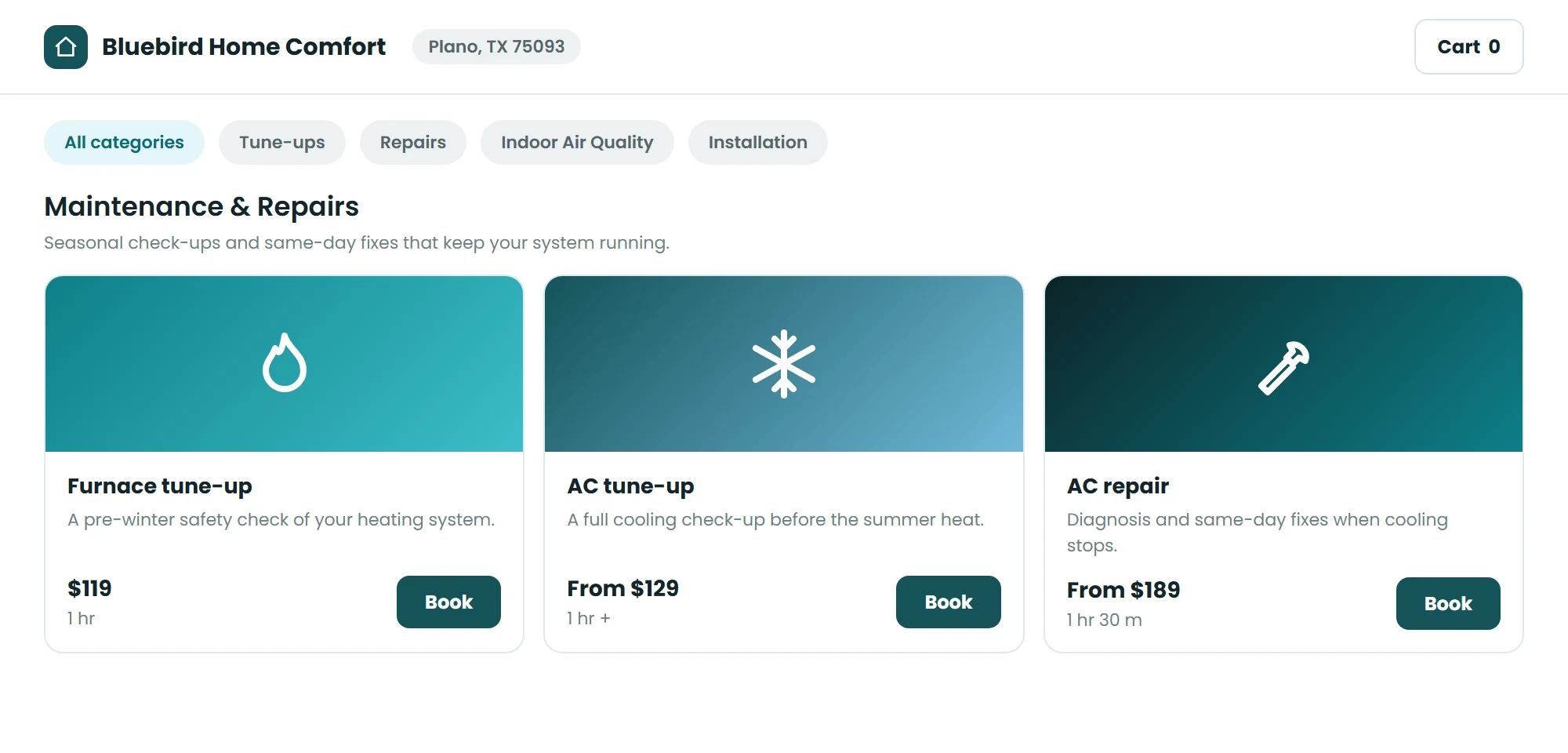
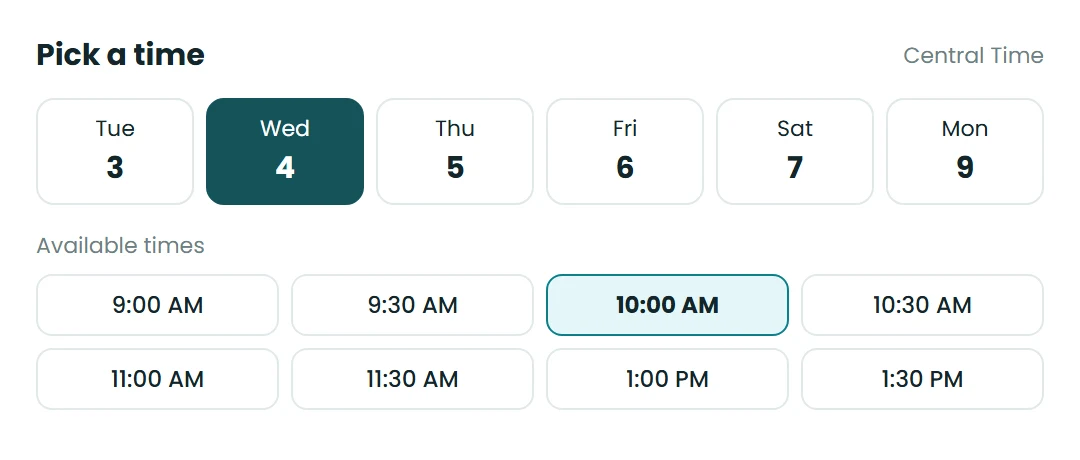
Give customers a branded page where they can browse your services, check their address against your service areas, pick a time and pay online, in person or with a card on file.
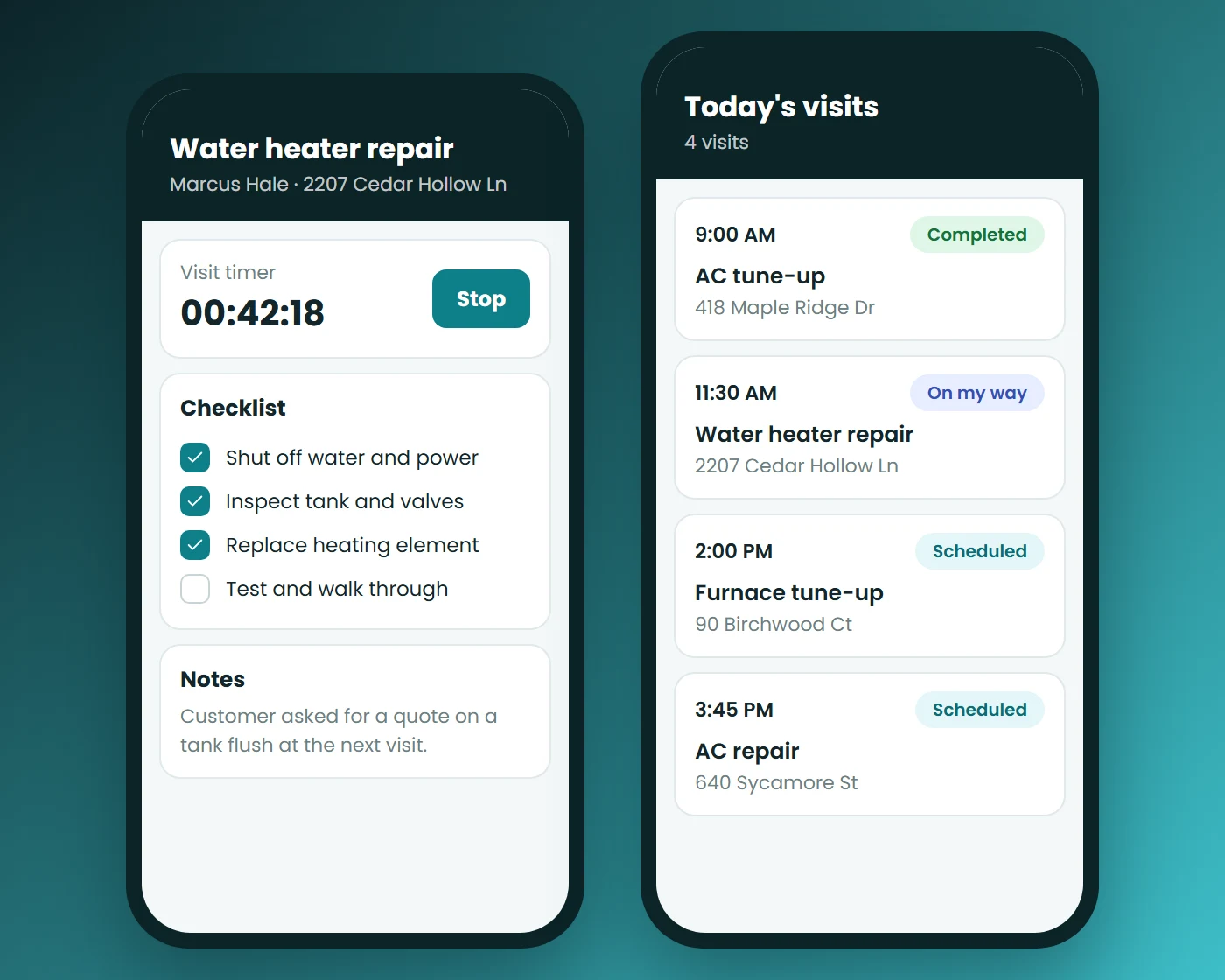
Your technicians sign in with the same login and run their day from their phone, with everything synced to the web. The office sees what the field sees, without the phone calls.
And there's more
From the customer's first question to the technician's last checklist, these are the details that save your team from phone tag and paperwork.
Answers customer questions about your services, prices and service areas, and takes requests in chat for your team to follow up. Available as a paid add-on.
Lets customers find you and book straight from your Google Business Profile.
See every visit as a list, on a calendar (Day, Timeline, Week, Month) or on a map. Filter by staff, service area and status, save Smart lists, block off time, and export to PDF or CSV.
Keep customers, assigned staff and dispatchers informed by email, SMS and WhatsApp, from a new request to a visit reminder, a technician on the way and a completed visit. Customize every message. SMS and WhatsApp are usage-based.
Create invoices straight from a job and bill as you go. Track invoiced, paid and outstanding amounts, and collect online payments once a payment provider is connected.
Build reusable checklists that apply to every job or to selected services, and keep job and visit notes where the whole team can find them.
Track time with a timer on every visit, and add manual entries when you need to.
Use your own visit status labels, such as On my way and Checked in, so everyone knows where each visit stands.
Build your catalog of services with variants, add-ons, pricing and tax, and bring services over in bulk from a CSV file.
Who it's for
The work is different in every trade, but the day has the same moving parts: customers to book, technicians to route, jobs to finish and invoices to collect.
Offer tune-ups, repairs and installs on your booking page, price them with variants and add-ons, and keep multi-visit installs on one job from the first estimate to the last invoice.
Capture requests with photos and descriptions, find the next best time based on drive time, and let customers know when your plumber is on the way.
Assign the right electrician using each person's services and service areas, use reusable checklists on every job, and invoice straight from the job when the work is done.
Let customers book online from a branded page, assign crews to visits, and plan each team's route so they spend more of the day cleaning and less of it driving.
Set your coverage by ZIP code or radius, add travel fees for longer trips, and optimize each crew's route around the visits that have to keep their time.
Owners see the money and the work that needs attention. Dispatchers see every visit on a calendar or map. Technicians see their day on their phone. It is all the same live information.
Home Services Pros helps homeowners find trusted local pros. Our field service software picks up where that leaves off, with everything you need to quote, schedule, finish and bill the job. Use either one on its own, or put them together.
List Your BusinessPricing
Every plan includes the complete core workflow, including estimates, jobs and invoices, with a generous number of users. As you hire more technicians, simply move up to the next plan.
For solo operators and small teams
$99 per month
$83/mo billed annually
For growing home service businesses
$199 per month
$166/mo billed annually
For established teams
$299 per month
$249/mo billed annually
All prices in USD. Annual rates require payment for 12 months in advance.
| Extra users | $15/user/month, or upgrade to the next plan |
|---|---|
| Setup fee | $199, waived on annual plans |
| Assisted migration | From $199, quoted by complexity |
| AI chat receptionist | Paid add-on from $79/month, subject to usage |
| SMS, phone and WhatsApp | Usage-based, charged separately |
| Additional locations | Separate subscription or custom multi-location quote |
Getting started
Field service management software runs a business that does its work at the customer's location. It replaces separate calendars, spreadsheets and paper invoices with one system for requests, estimates, scheduling, dispatch, job records, invoicing and payments. Home Services Pros is built around requests, jobs and visits, so it follows a job the way your business actually handles it.
Home and field service businesses, including HVAC, plumbing, electrical, cleaning and landscaping companies. Owners, office staff, dispatchers and technicians all work from the same live view of the day, on web and on mobile.
An appointment calendar only knows about time slots. Home Services Pros knows about the whole job: one customer, one address and all the work, across as many visits as it takes, with services, products, pricing, checklists, notes, invoices and payments in one record. Scheduling also takes staff working hours, service areas, existing bookings and drive time into account.
Yes. Your branded booking page lets customers browse services, check their address against your service areas, pick a time and pay online, in person or with a card on file. You choose instant booking or booking requests, and customers can still send a request when no times are open.
You review a proposed route for a technician and see the drive time saved before anything changes. Lock any visit that has to keep its time and the rest can be reordered. Routes run from each technician's start location to their end location, and nothing is applied until you are happy with it.
Yes. Define service areas by radius or ZIP code, with an optional travel fee and extra time before visits. For customers outside your coverage, you decide whether to block the booking or allow it with review. Your team can still schedule manually outside a service area whenever you need to.
Create invoices straight from a job and bill as you go, such as after one of several visits. Each job shows what has been invoiced, paid and is still outstanding, and you can collect online payments once a payment provider is connected.
Yes. Notifications go out by email, SMS and WhatsApp at key moments, from a new request to a visit reminder, a technician on the way and a completed visit. You can customize the message for each notification. SMS and WhatsApp are usage-based and charged separately.
Yes. Your crew signs in with the same login to manage requests and jobs, schedule and reschedule visits, update statuses and use checklists, notes and timers from their phone. Everything syncs with the web app.
Yes. Google organic booking lets customers find you and book straight from your Google Business Profile.
It answers customer questions about your services, prices and service areas, and takes requests in chat for your team to follow up. It is a paid add-on, from $79 per month subject to usage.
Yes. You can import services in bulk from a CSV file, then organize your catalog with variants, add-ons, pricing and tax.
No. The software and the Home Services Pros directory are separate products, so you can use either one or both. A directory listing helps homeowners find you, and the software helps you run the work that follows.
Starter is $99 per month, Team is $199 per month and Scale is $299 per month. Billed annually, they are $83, $166 and $249 per month, with 12 months paid in advance. There is a $199 setup fee, which is waived on annual plans.
No. You pay per business, with users included: up to 2 on Starter, up to 6 on Team and up to 15 on Scale. Extra users are $15 per user per month, or you can upgrade to the next plan.
Every plan includes the complete core workflow, including estimates, jobs, invoices, online booking and payments, and the mobile app. Team adds multi-technician scheduling and dispatch and route optimization. Scale adds priority support and personalized onboarding.
SMS, phone and WhatsApp are usage-based and charged separately. The AI chat receptionist is a paid add-on from $79 per month, subject to usage. Assisted migration starts at $199, quoted by complexity. Additional locations need a separate subscription or a custom multi-location quote.
Tell us a little about your business and our team will get back to you with everything you need to know, including how it would work for your trade and your team.